Quick summary
Summarize this blog with AI
Navigating the professional world often requires a delicate balance between being open to new opportunities and maintaining a certain level of discretion, especially on social networking platforms like LinkedIn. Whether you've landed a new role or simply wish to keep your job search private, understanding how to remove the 'Open To Work' badge from your LinkedIn profile without drawing too much attention is crucial. In this comprehensive guide, we'll explore the steps and strategies to do just that, ensuring your LinkedIn profile aligns with your professional objectives while preserving your privacy.
Key Highlights
- Understand the implications of the 'Open To Work' feature on LinkedIn.
- Learn step-by-step how to remove 'Open To Work' discreetly.
- Explore strategies to maintain a professional image during job transitions.
- Gain insights on managing LinkedIn privacy settings effectively.
- Discover how to communicate your availability to recruiters without the 'Open To Work' badge.
Understanding 'Open To Work' on LinkedIn
The Role of 'Open To Work' in Job Searching
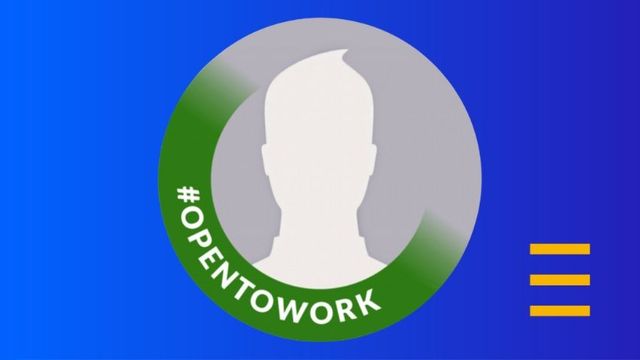
The 'Open To Work' feature on LinkedIn serves as a signal to recruiters and your network that you are actively seeking new job opportunities. This can lead to an increased visibility among hiring managers and a potential influx of job offers. However, it also comes with certain considerations regarding your current employment status and how others perceive your professional stability.
Implications of Displaying 'Open To Work'
While 'Open To Work' can be beneficial for those in active job search, it might also inadvertently signal to your current employer or colleagues that you are looking to leave, which could impact your current work relationships and dynamics. Additionally, it could attract unwanted attention if you prefer a more discreet job search.
Step-by-Step Guide to Remove 'Open To Work'
Accessing LinkedIn Profile Settings
To remove the 'Open To Work' feature, start by accessing your LinkedIn profile and navigating to the 'Open To Work' settings. This can be found under the 'Me' section, where you'll click on 'View Profile' and then locate the 'Open To Work' box.
Removing 'Open To Work' Discreetly
Once you've found the 'Open To Work' settings, you can choose to delete the feature entirely or modify its visibility to recruiters only. This allows you to continue signaling your interest to recruiters without broadcasting this to your entire network.
Professional Networking Without 'Open To Work'

Maintaining Professional Relationships
Even after removing the 'Open To Work' feature, it's important to continue fostering professional relationships through regular engagement and networking. This ensures you remain on the radar of potential employers without needing to publicly declare your job search status.
Alternative Ways to Signal Job Search
There are alternative strategies to signal your openness to new opportunities, such as directly messaging recruiters, participating in relevant industry groups, or posting content that showcases your expertise and interest in specific professional areas.
Managing LinkedIn Privacy and Settings
Privacy Settings Overview
LinkedIn offers a range of privacy settings that allow you to control who sees your profile details and activities. Understanding and utilizing these settings is key to maintaining a balance between visibility and discretion in your professional pursuits.
Customizing Visibility to Recruiters
In addition to removing 'Open To Work,' you can customize your LinkedIn experience to be more appealing to recruiters by fine-tuning the types of job opportunities you're interested in and specifying your preferred contact methods and availability.
Conclusion
Effectively managing your LinkedIn profile and privacy settings plays a critical role in your professional image and job search efforts. By following the steps outlined in this guide to discreetly remove the 'Open To Work' feature, you can maintain control over your career narrative and ensure that your job search remains as private or public as you desire. Remember, it's the strategic and thoughtful use of LinkedIn's tools and features that will empower you to navigate your career path with confidence.
FAQ
Q: Is it necessary to remove 'Open To Work' after getting a job?
A: Yes, it's advisable to remove 'Open To Work' after securing a job to reflect your updated employment status and maintain professional etiquette.
Q: Can I still be discovered by recruiters without 'Open To Work'?
A: Absolutely. You can still be discovered by recruiters by maintaining an up-to-date profile, engaging with content, and networking within your industry.
Q: Will my network be notified when I remove 'Open To Work'?
A: No, LinkedIn does not notify your network when you remove the 'Open To Work' feature from your profile.